
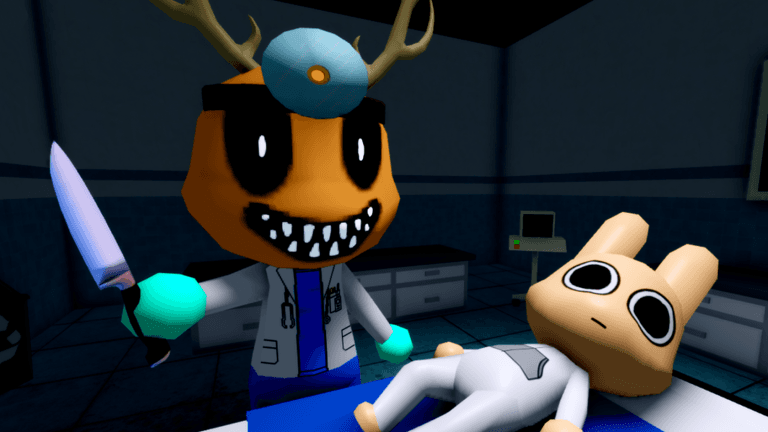
Dr. Harlow is an event character with a small confirmed route and several open story questions. Use the current interaction to follow the route instead of relying on a memorized script. Keep event access separate from theories about the character’s identity.
Decide when to follow the event
Treat Dr. Harlow as a progression route, not as a general patient or class question. The useful decision is whether the event’s confirmed conditions have become relevant in the run. Once they have, stay with the event interaction rather than adding a requirement remembered from a different description.
The character guide places Dr. Harlow among the wider cast. The shift guide handles broader progression questions. Those pages provide context without changing the event facts listed here.
Make that separation before entering the route, so cast browsing does not add a condition to the event.
Confirmed route facts
- Threshold
Reach Shift 16 or later
This is the documented progression gate for the event.
- Location
Identify Dr. Harlow’s locked office
This is the location connected with the route.
- Requirement
Use the Materials direction
Materials are part of the event path.
The three timeline labels answer different route questions. The threshold tells you when to start checking, the location tells you where the event belongs, and the requirement tells you what part of the interaction to prepare for. Keeping those functions separate makes the route easier to follow without adding another condition.
Actionable event workflow
- Wait until the progression gate in the timeline has been reached.
- Look for the event at the listed location.
- Read the active interaction before using the stated requirement.
- Follow the order displayed in that interaction.
- Stop if the game asks for something that is not in the confirmed route inventory, and re-read the prompt rather than guessing.
This workflow preserves the distinction between route components and their order. It lets the current game connect the known parts while keeping unsupported additions out of the event plan.
Is Dr Harlow an anomaly?
Dr. Harlow should not be labeled an anomaly as a settled fact. The official artwork used above shows an anomalous doctor, but it does not identify that figure as Dr. Harlow. Use the active interaction for ordering and keep visual resemblance separate from a named identity.
Dr Harlow lore and backstory
The confirmed story context is limited to an event after Shift 16, a locked office and a Materials direction. Those facts establish a late-shift route, but they do not establish a complete biography, motive or relationship to every anomaly in the hospital. Claims about a fixed reward, consequence or wider origin remain unresolved.
Once the interaction has supplied the next action, keep following the active route. When the question changes from event execution to cast or story context, switch to the related guide rather than treating that context as another route step.
For the game’s broader strange-patient premise, use the anomaly guide. For a general overview of story-facing material, use the wiki guide. Neither link changes the limited event inventory on this page.